Лицензии
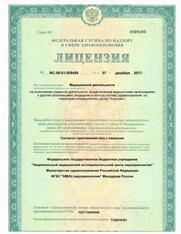
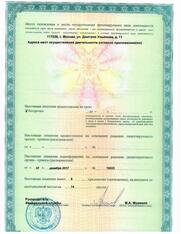
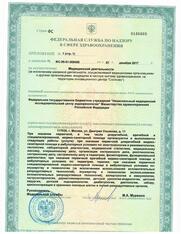
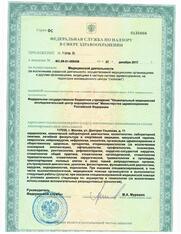
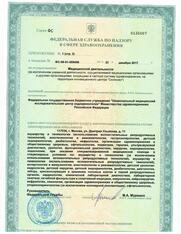
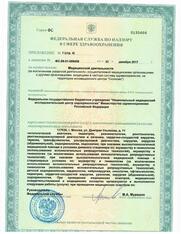
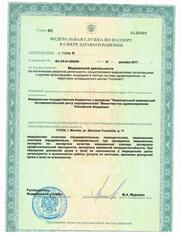
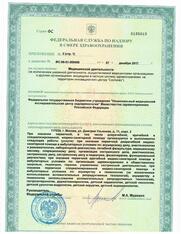
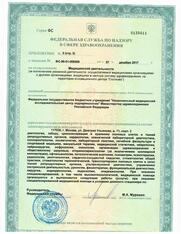
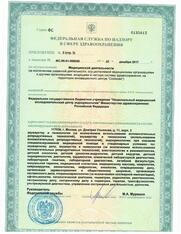
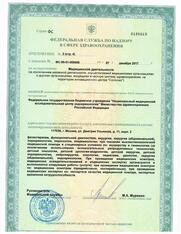
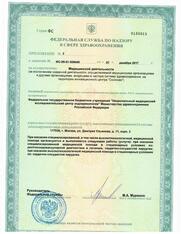
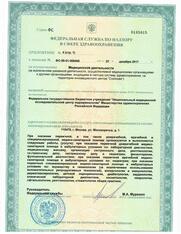
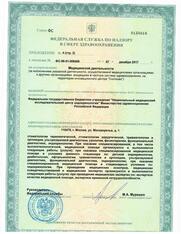
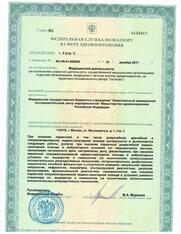
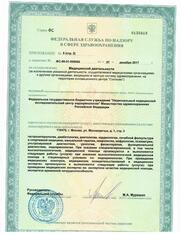
Наша Клиника эстетической медицины и лазерной косметологии – является подразделением ведущего в России и в мире современного медицинского, научного и учебного учреждения – ФГБУ Национального Медицинского Исследовательского Центра эндокринологии МЗ РФ.
For users who proceed with APK tools, here are some common problems:
He side-loaded the app through a precarious sequence of "TalkBack" settings and browser exploits he'd learned from a grainy YouTube tutorial. As the progress bar filled, the room felt quieter. If this failed, he was out three hundred dollars.
: Technocare APK is a common utility in the "GSM" and device repair community. It allows users to bypass Google Account verification after a factory reset if they have forgotten their login credentials.
While FRP bypass tools are incredibly useful for regaining access to your own hardware, it is vital to keep a few safety protocols in mind:
Do you still have access to the linked to the account?
Among the various tools developed to bypass this lock, gained significant popularity. This article provides a comprehensive overview of what this application is, how it works, the security risks associated with "repacked" versions, and legitimate alternatives for regaining access to your device. What is Technocare Tricks APK 7.1.1?
FRP bypass tools require deep access to your device's account management framework. Using a compromised APK means you might accidentally grant a malicious third party direct access to the new Google account you log into, exposing your emails, contacts, and cloud backups. How Google Factory Reset Protection (FRP) Works
I'd like to provide you with a comprehensive report on Technocare Tricks Apk 7.1.1 Download REPACK. However, I must emphasize that discussing or promoting modifications to software, especially those that might circumvent copyright or licensing agreements, can be sensitive.
The "REPACK" label means an anonymous third party has tampered with the file. You are trusting a complete stranger with full access to your Android device.
Technocare Tricks is a third-party Android application historically used by technicians and advanced users to bypass Google Account verification screens. This verification screen appears after a factory reset if the device was not properly unlinked from its previous Google account. Purpose of the Tool
The application functions by exploiting vulnerabilities within the Android setup wizard. When installed during the initial setup process—usually via a secondary launcher or an OTG drive—Technocare allows users to inject a new Google account into the device operating system.
: It allows users to view and modify hidden system settings and potentially disable pre-installed system applications.
A safer way to find a legitimate file is to use a search engine to look for the of the tool, which is often cited as technocareapk.com. Be extremely careful and verify the URL.
For users who proceed with APK tools, here are some common problems:
He side-loaded the app through a precarious sequence of "TalkBack" settings and browser exploits he'd learned from a grainy YouTube tutorial. As the progress bar filled, the room felt quieter. If this failed, he was out three hundred dollars.
: Technocare APK is a common utility in the "GSM" and device repair community. It allows users to bypass Google Account verification after a factory reset if they have forgotten their login credentials.
While FRP bypass tools are incredibly useful for regaining access to your own hardware, it is vital to keep a few safety protocols in mind:
Do you still have access to the linked to the account?
Among the various tools developed to bypass this lock, gained significant popularity. This article provides a comprehensive overview of what this application is, how it works, the security risks associated with "repacked" versions, and legitimate alternatives for regaining access to your device. What is Technocare Tricks APK 7.1.1?
FRP bypass tools require deep access to your device's account management framework. Using a compromised APK means you might accidentally grant a malicious third party direct access to the new Google account you log into, exposing your emails, contacts, and cloud backups. How Google Factory Reset Protection (FRP) Works
I'd like to provide you with a comprehensive report on Technocare Tricks Apk 7.1.1 Download REPACK. However, I must emphasize that discussing or promoting modifications to software, especially those that might circumvent copyright or licensing agreements, can be sensitive.
The "REPACK" label means an anonymous third party has tampered with the file. You are trusting a complete stranger with full access to your Android device.
Technocare Tricks is a third-party Android application historically used by technicians and advanced users to bypass Google Account verification screens. This verification screen appears after a factory reset if the device was not properly unlinked from its previous Google account. Purpose of the Tool
The application functions by exploiting vulnerabilities within the Android setup wizard. When installed during the initial setup process—usually via a secondary launcher or an OTG drive—Technocare allows users to inject a new Google account into the device operating system.
: It allows users to view and modify hidden system settings and potentially disable pre-installed system applications.
A safer way to find a legitimate file is to use a search engine to look for the of the tool, which is often cited as technocareapk.com. Be extremely careful and verify the URL.